One Event Photo, Eight Content Assets: How Marketing Teams Can Work Smarter
Your media team is already shooting great content. Here's how to turn a single event photo into eight distinct assets (banners, thumbnails, social headers) using AI cinematic prompts.
I saw a TikTok from @ifkjourney that stopped me mid-scroll.
They’d built a library of 14 cinematic lens prompts for AI image generation. Each one starts the same way: “Using the attached image as reference…” followed by a specific camera perspective: ultra-wide environmental, medium portrait, extreme close-up, and so on. The technique treats AI like a virtual cinematographer, not a replacement photographer.
It stuck with me because it’s systematic. Most people approach AI image generation like a slot machine. Pull the lever, hope for the best. This was different. This was a repeatable system.
The Connection to Hospitality Finder
I was already working with Hospitality Finder, a UK platform specialising in VIP and corporate hospitality packages for sports and events. Their marketing team shoots at events and venues constantly: rugby matches, race days, corporate hospitality boxes.
They’ve got thousands of photos sitting in drives. Great photos. But each one is a single asset in a single format.
I wondered: what if we applied this cinematic prompt system to their existing media? One photo, multiple formats, no reshoot. Same players, same moment, same energy, re-framed for banners, thumbnails, social headers, whatever the channel demands.
The Experiment
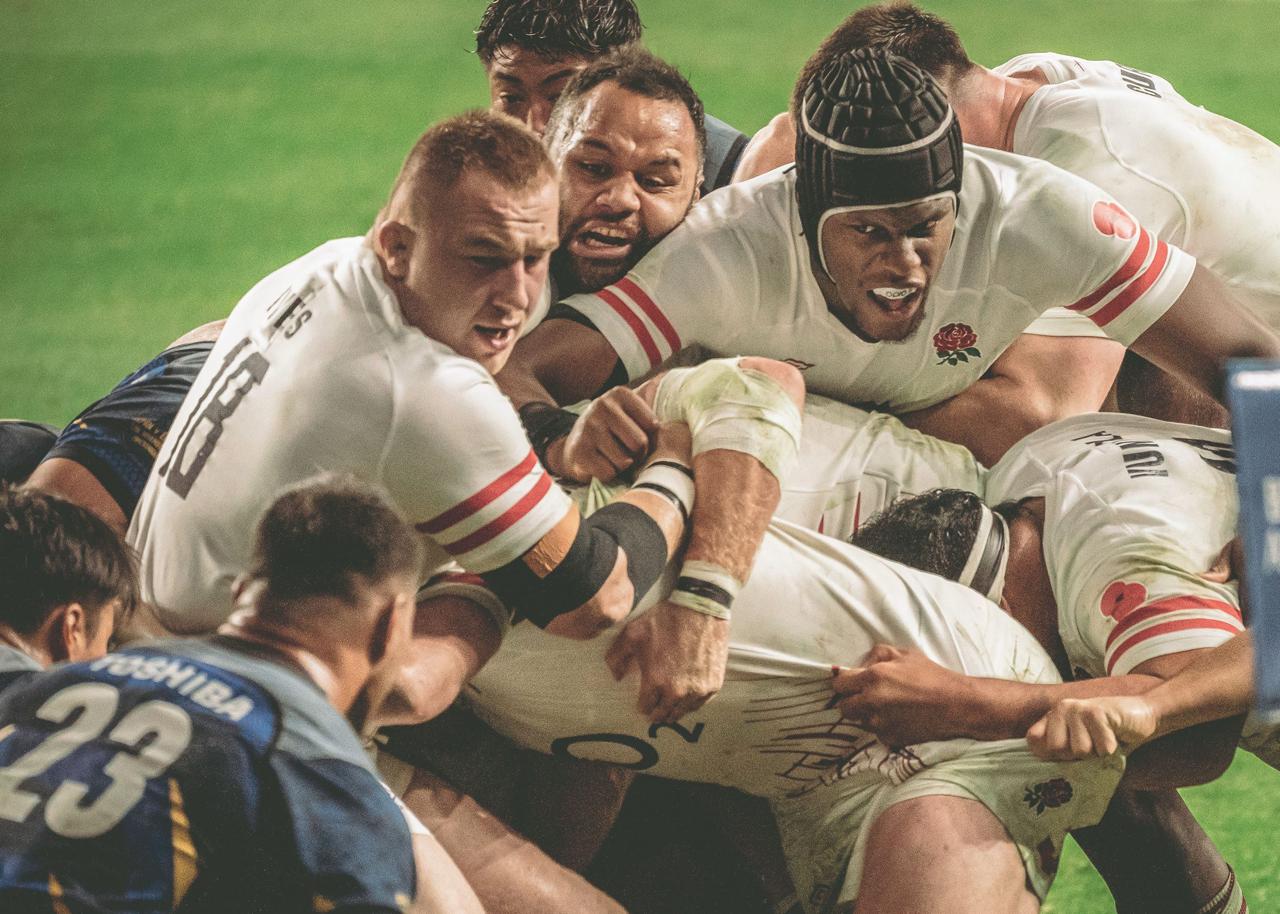
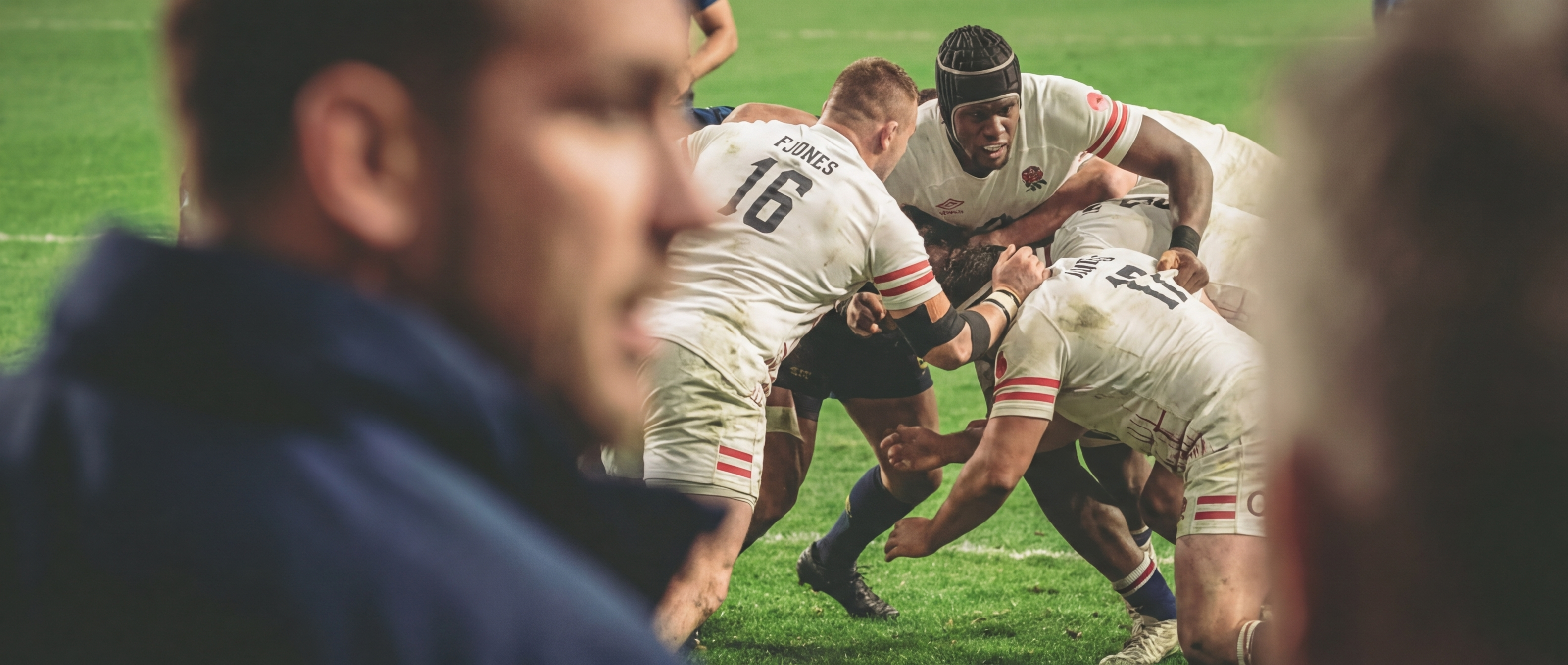
I took one of their event photos (a rugby action shot) and ran it through the system.
The original source photo: a tackle frozen mid-action, plenty of energy, plenty of detail to work with.
What came out: 8 distinct image variants, each suited to a different format and platform, all generated using Nano Banana Pro (Google’s Gemini 3 Pro image model). Then I pushed one of those AI-generated variants through Google Veo 2 to create a short video clip.
Here’s what the system produced:
The 8 Variants
1. Ultra-Wide Environmental
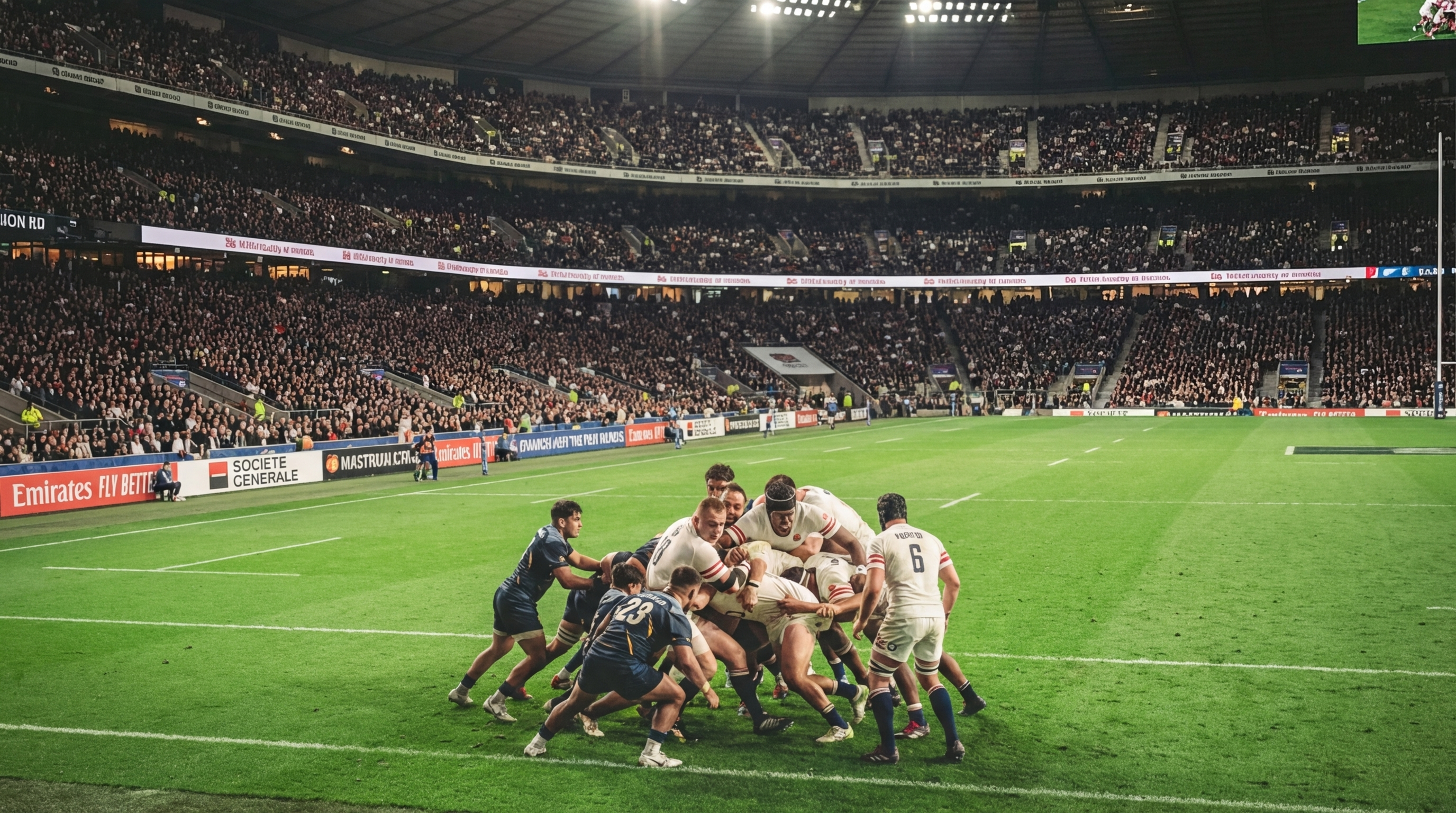
Ultra-Wide Environmental: pulls back to show the venue at scale. Useful for hero banners and conveying the sense of occasion.
2. Wide Action
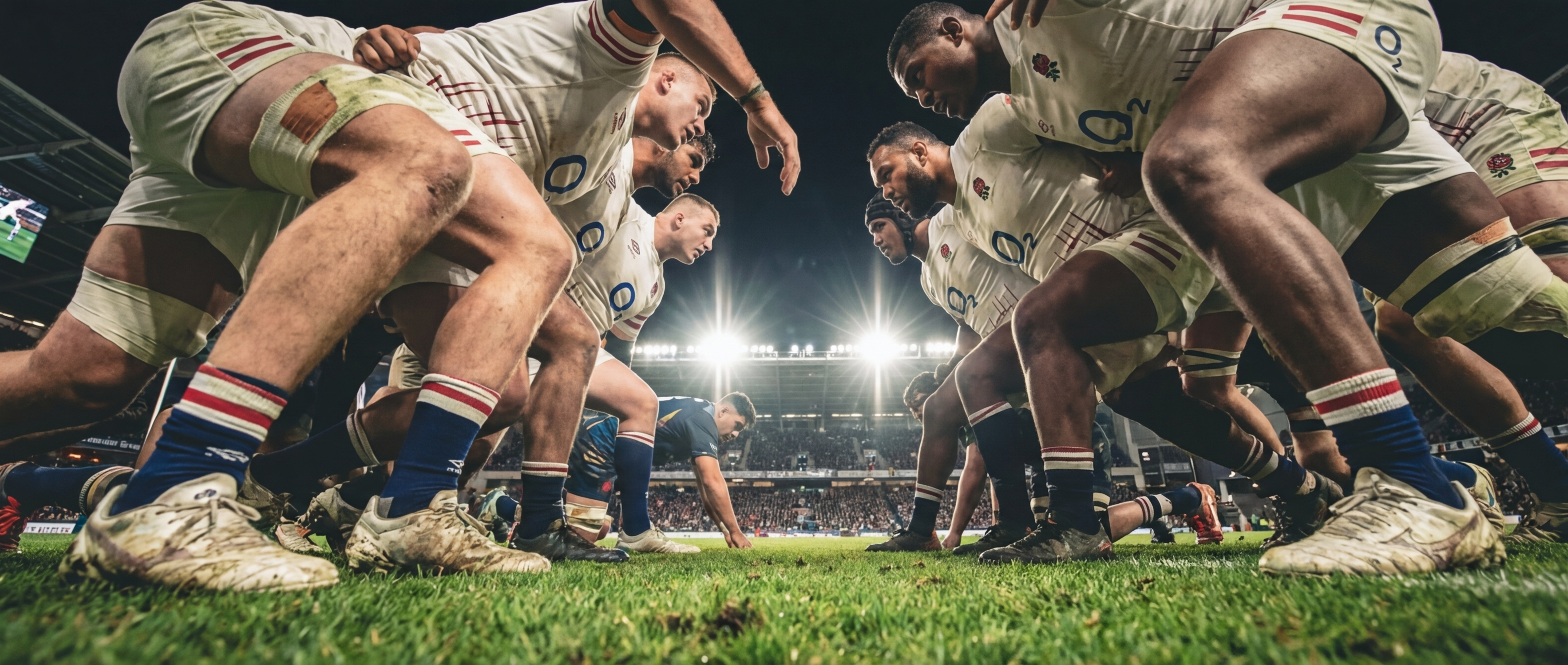
Wide Action: full body motion, dynamic movement. Good for sports content and action sequences.
3. Medium Portrait
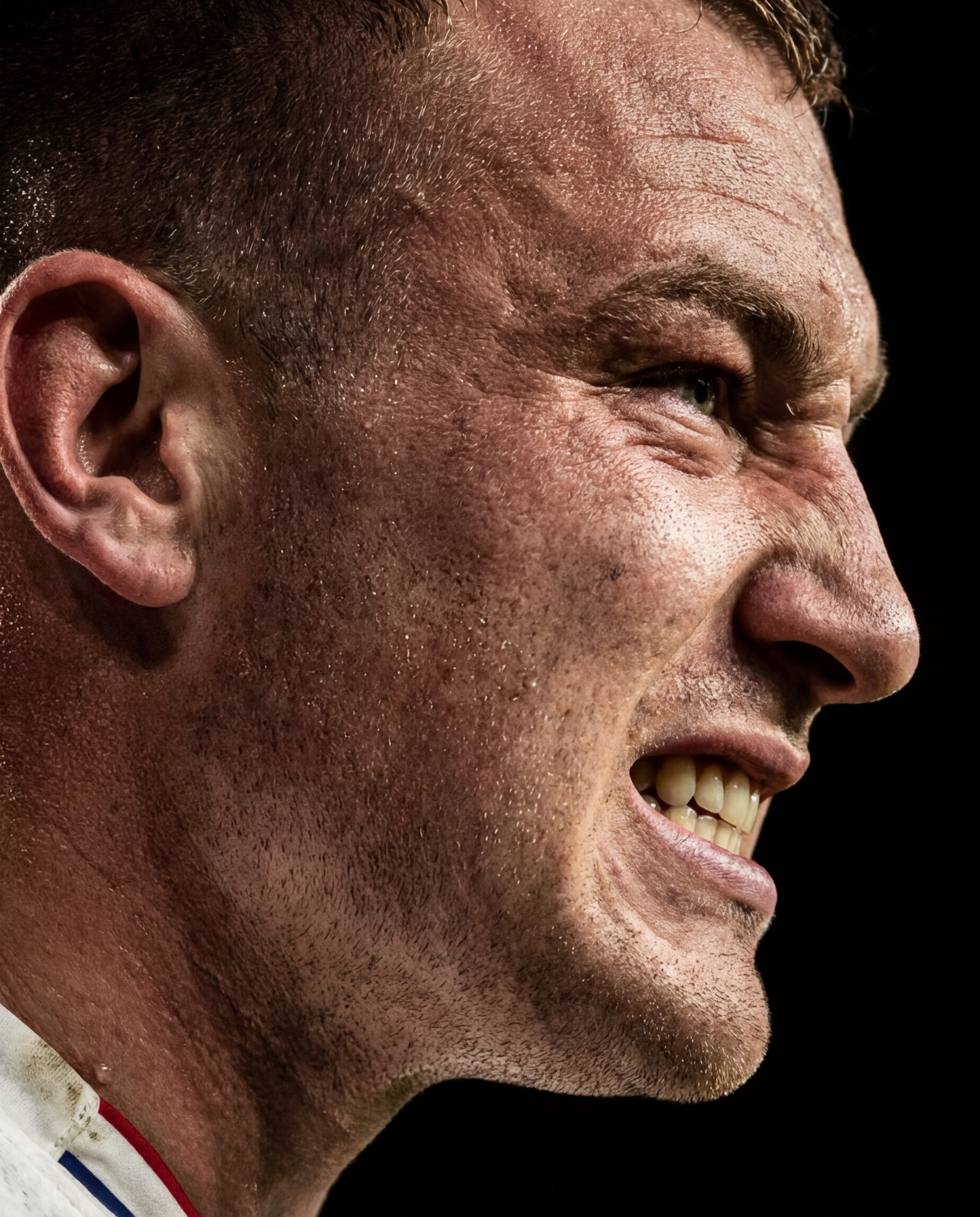
Medium Portrait: upper body framing, creates personal connection. Works for testimonials and human-focused content.
4. Medium Action
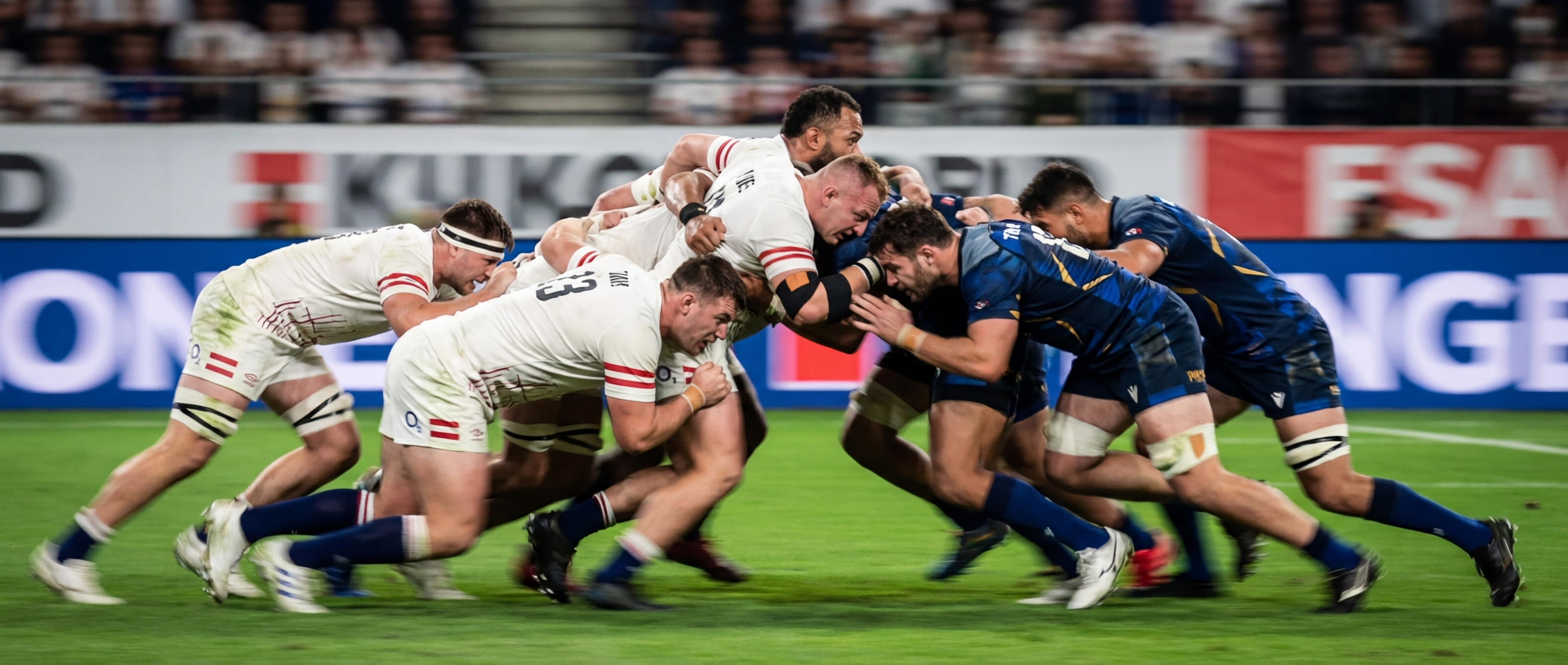
Medium Action: captures interaction between subjects. Useful for showing relationships and engagement.
5. Close-Up
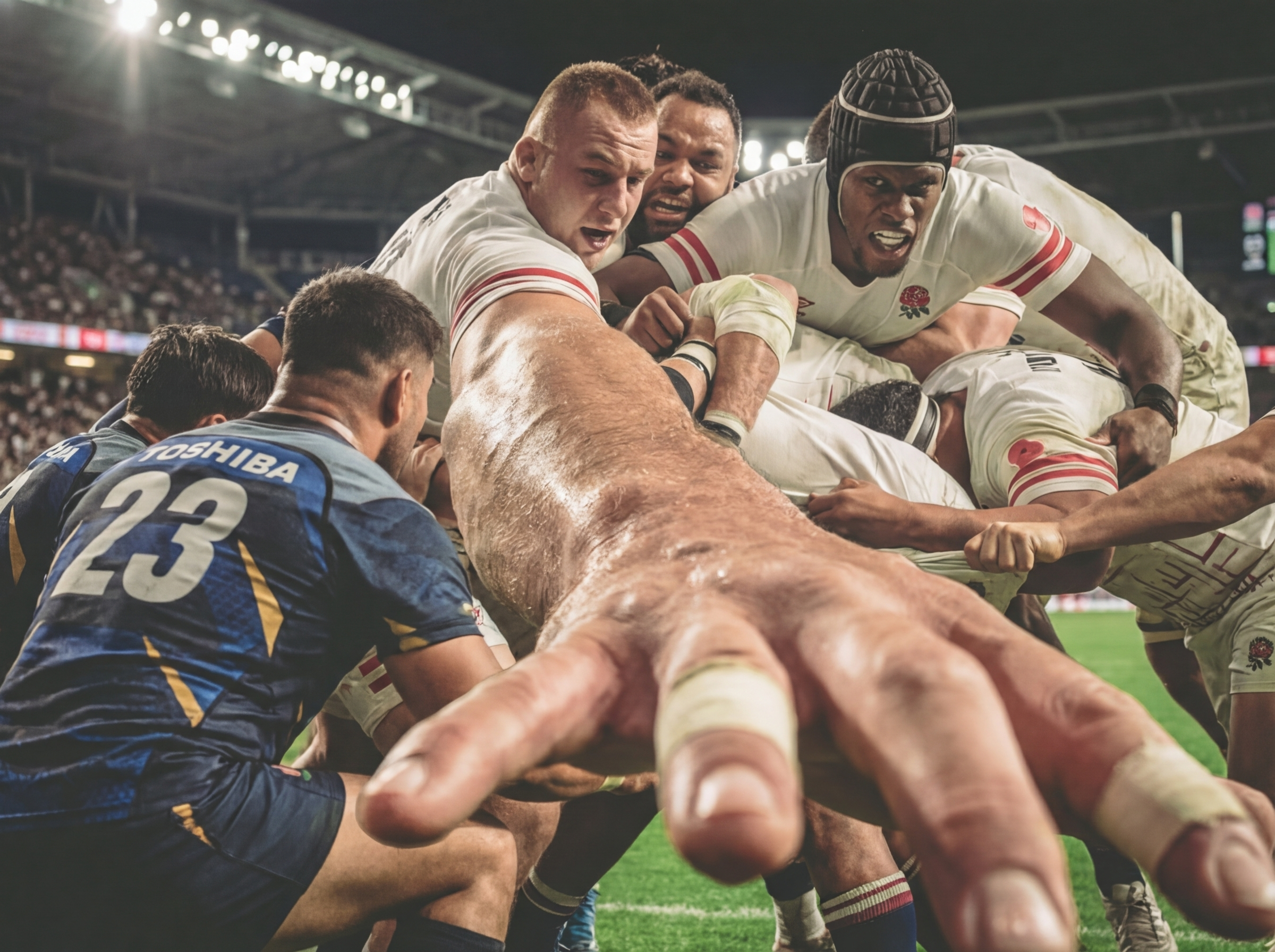
Close-Up: facial expression and emotion. High impact for social thumbnails and emotional storytelling.
6. Extreme Close-Up
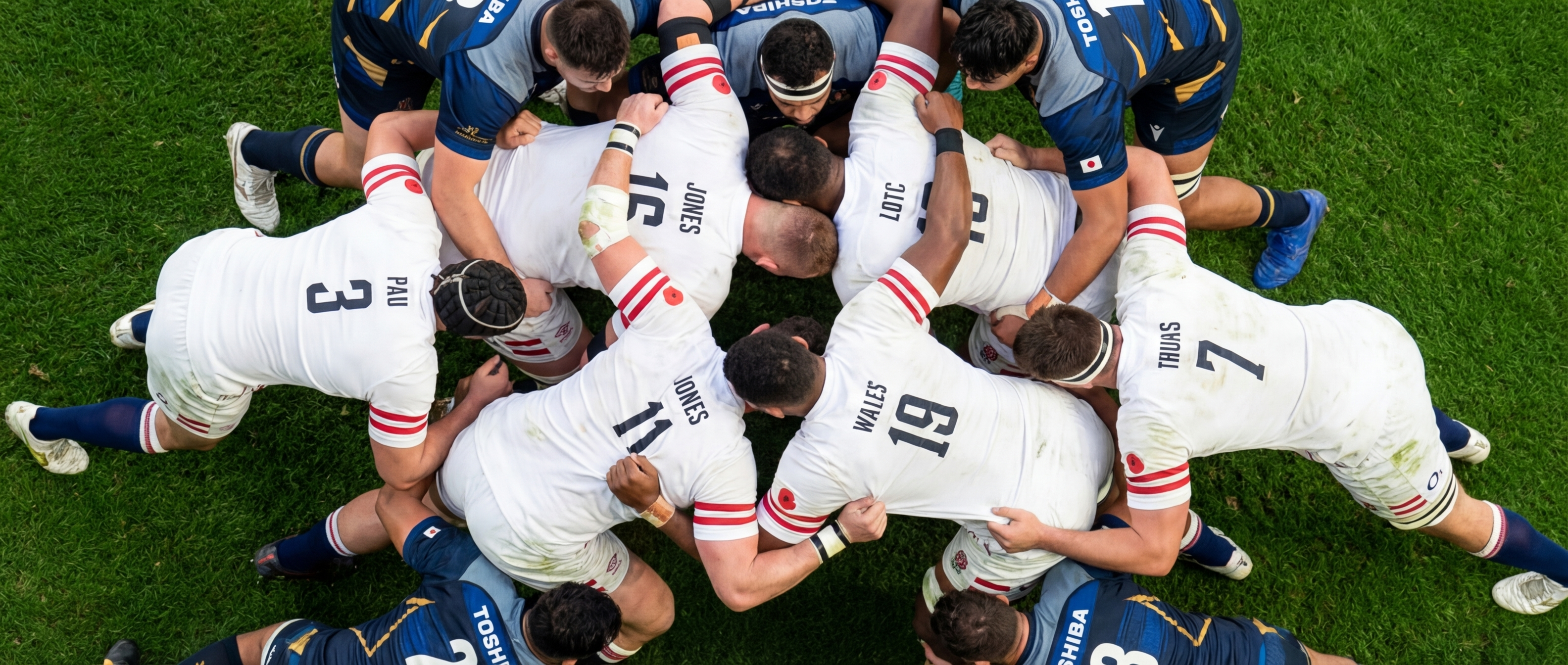
Extreme Close-Up: detail, texture, intensity. Creates visual interest and draws the eye.
7. Over-the-Shoulder
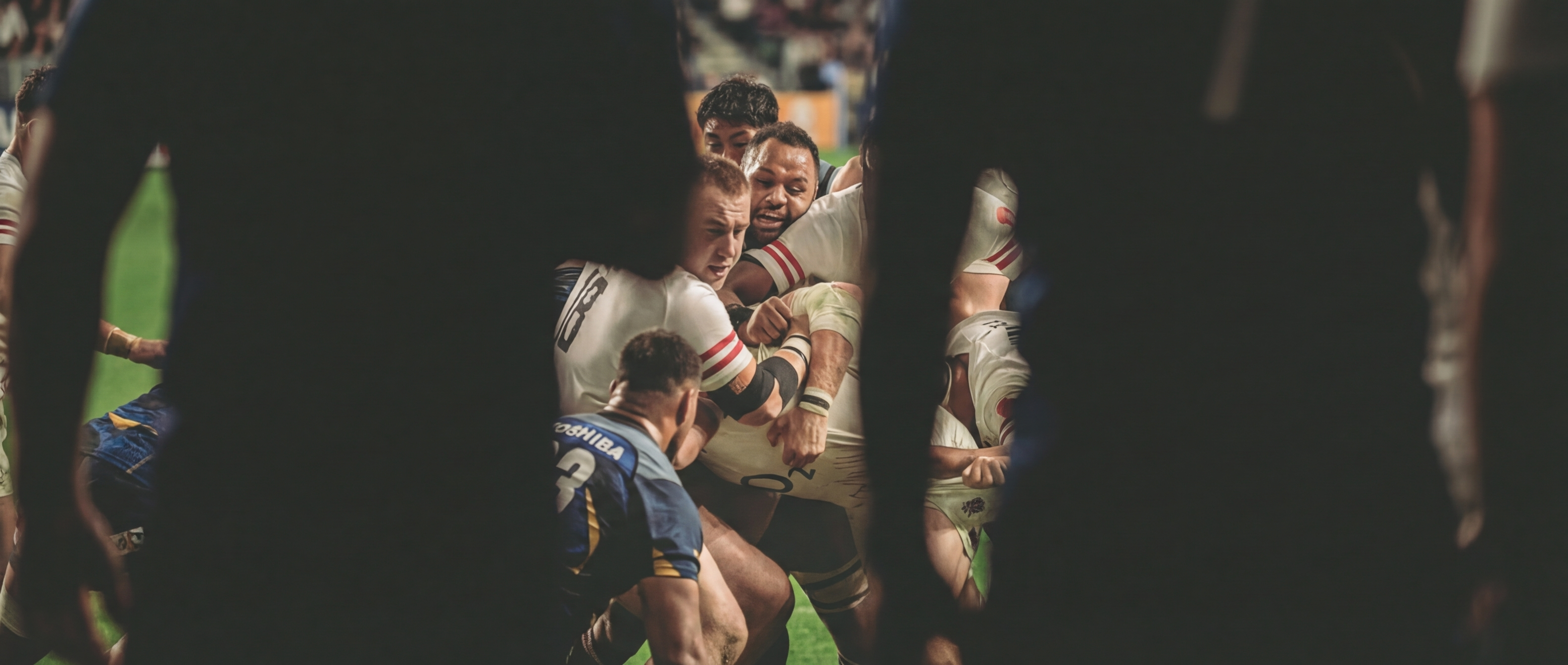
Over-the-Shoulder: immersive perspective, puts the viewer in the scene. Good for narrative content.
8. Dutch Angle
Dutch Angle: dynamic, off-kilter energy. Adds drama and visual tension for standout pieces.
The Video
I took the Wide Action variant and pushed it through Google Veo 2 with a simple motion prompt: “slow push in, cinematic lighting, dust particles in air.”
15 seconds, generated from a single image. The motion is subtle: camera push with atmospheric haze. Enough to turn a still into something that stops the thumb-scrolling.
How to Do It Yourself
The workflow in 4 steps:
-
Select your source image: needs clear subject, good lighting, decent resolution. Action shots work well.
-
Choose your lens perspective: pick from the 14 cinematic prompts based on what format you need.
-
Generate variants: run the same image through multiple perspectives. Each gives you a different asset.
-
Extend to video (optional): feed your best still into Veo 2 or similar with a motion prompt.
The prompts I used:
The 14 cinematic lens perspectives from @ifkjourney. Each follows this structure:
Using the attached image as reference, [lens type] shot of [subject description],
[lighting], [atmosphere], [technical specs]
The library includes: Ultra-Wide Environmental, Wide Environmental, Wide Action, Medium Environmental, Medium Portrait, Medium Action, Medium Two-Shot, Close-Up, Extreme Close-Up, Over-the-Shoulder, Point-of-View, Dutch Angle, Aerial, and Macro.
Building your own library:
Start with these 14 as your base. Test them against your own content. Adjust the atmosphere and lighting descriptors to match your brand. Save the ones that work. Discard the rest.
Over time, you’ll have a prompt library tailored to your visual identity.
Closing Thought
Event businesses are rich in photos and poor in content formats.
You’ve already paid for the photographer, the venue access, the moment itself. This system closes the gap between what you captured and what you can use. Not magic. Systematic.
One photo. Eight assets. Infinite channels.
The Script: Generate a Full Asset Set in One Run
Running 8 prompts manually is fine once. If you’re doing this regularly, automate it.
The script below takes any source image and runs all 8 cinematic perspectives through Nano Banana Pro in a single command, outputting a full asset set ready to use.
#!/bin/bash
# generate-asset-set.sh
# Usage: ./generate-asset-set.sh /path/to/source-image.jpg output-prefix
# Requires: GEMINI_API_KEY set in environment

SOURCE="$1"
PREFIX="${2:-assets}"
SCRIPT="$HOME/.codex/skills/nano-banana-pro/scripts/generate_image.py"

declare -A PROMPTS=(
  ["ultra-wide"]="Using the attached image as reference, regenerate the scene as a wide establishing shot where the environment dominates. The subject appears small but centred. The full scope of the venue: architecture, lighting, atmosphere. Fills the frame. Cinematic, editorial, 16:9 banner format."
  ["low-angle-hero"]="Using the attached image as reference, regenerate the scene shot from the floor looking sharply upward with a wide angle lens. The subjects appear towering and powerful. Dramatic scale, heroic and overwhelming. 16:9 banner format."
  ["tracking-side"]="Using the attached image as reference, regenerate the scene with subjects shown in a full side profile as if the camera is moving alongside them. Background has lateral motion blur suggesting fast camera movement. Cinematic, wide-screen."
  ["tight-profile"]="Using the attached image as reference, regenerate as a tight close-up of one subject's face shot from the side in profile. Only one side of the face visible. Background completely black, isolating the subject. Raw intensity."
  ["forced-foreground"]="Using the attached image as reference, regenerate shot from below with a subject's arm or hand reaching directly toward camera, appearing massive in the extreme foreground. The action appears smaller behind it. Dramatic forced perspective."
  ["overhead"]="Using the attached image as reference, regenerate shot directly from above looking straight down. Show subjects from a bird's eye view. The floor visible, creating a flat, design-focused composition. Cinematic banner format."
  ["voyeur"]="Using the attached image as reference, regenerate as if shot through a narrow gap between two dark silhouetted figures in the foreground. The action is glimpsed through the slit. The viewer feels like an intruder."
  ["stranger-pov"]="Using the attached image as reference, regenerate as if photographed by another person nearby. Include an out-of-focus foreground figure (their shoulder or arm) with the main action in the middle distance. Candid, documentary feel."
)

echo "Generating 8 asset variants from: $SOURCE"
echo "---"

for NAME in "${!PROMPTS[@]}"; do
  OUTFILE="${PREFIX}-${NAME}.png"
  echo "Generating: $OUTFILE"
  uv run "$SCRIPT"     --prompt "${PROMPTS[$NAME]}"     --filename "$OUTFILE"     --input-image "$SOURCE"     --resolution 1K
done

echo "---"
echo "Done. Generated: ${#PROMPTS[@]} variants"
ls -lh ${PREFIX}-*.png
Save this as generate-asset-set.sh, make it executable (chmod +x), and run:
./generate-asset-set.sh my-event-photo.jpg venue-shootYou’ll get 8 files: venue-shoot-ultra-wide.png, venue-shoot-low-angle-hero.png, and so on. Draft quality at 1K; swap to --resolution 4K on the ones worth upscaling.
Your Taste Is the Differentiator
Anyone can run these prompts. The script above takes five minutes to set up.
What separates good content from forgettable content isn’t the tool. It’s the judgement.
Knowing that your venue shoots work better with the overhead perspective. That your athlete shots come alive with the low angle hero. That the voyeur slit view is exactly right for a behind-the-scenes story but completely wrong for a corporate landing page. That one AI-generated variant deserves a 4K upscale and six others don’t.
That’s taste. And taste is not something you can automate.
The AI generates options. You edit them. You decide what fits your brand, your audience, your moment. The same prompts in someone else’s hands produce different choices, because they’d pick different shots, pair them with different copy, use them in different contexts.
The people who’ll get the most out of AI image generation aren’t the ones who run the most prompts. They’re the ones who combine systematic process with genuine creative judgement.
That combination of system plus taste is where the edge actually is.
Credits
- Original cinematic prompt system: @ifkjourney on TikTok
- Rugby photography: Hospitality Finder event coverage
- Image generation: Nano Banana Pro (Google Gemini 3 Pro Image)
- Video generation: Google Veo 2
Written by Jonathan Gill. I help marketing teams turn existing assets into systematic content machines.
Frequently asked questions
01How can I generate multiple content assets from a single event photo using AI?
How can I generate multiple content assets from a single event photo using AI?
Use cinematic lens prompts that describe a specific camera perspective for each variant: ultra-wide environmental, medium portrait, extreme close-up, and so on. Each prompt begins with 'Using the attached image as reference...' and instructs the AI to reinterpret the original photo through that lens, producing a distinct asset without a new shoot.
02What AI tools were used in this event photo workflow?
What AI tools were used in this event photo workflow?
The article describes using Google's Gemini Pro for image generation and Veo 2 for video variants. A bash script batches all 14 cinematic prompts to run automatically, reducing manual work from hours to minutes and producing consistent on-brand outputs at scale.
03Why is a systematic approach to AI image generation better than ad hoc prompting?
Why is a systematic approach to AI image generation better than ad hoc prompting?
A systematic approach produces consistent, on-brand outputs at scale rather than random results. With a reusable library of cinematic prompts, a single source photo can yield eight distinct assets for different channels (social, banner, thumbnail) without briefing a creative team each time.
04What is the role of human judgment in AI-generated marketing content?
What is the role of human judgment in AI-generated marketing content?
The article argues that taste and editorial judgment remain the differentiating factor. AI handles the mechanical production of variants; the human decides which perspectives serve the brand, which outputs are worth using, and how to sequence them across channels.